Restaurant website builder
A restaurant website that takes orders, not a brochure that lists them
Plenty of restaurant websites still end at a PDF menu and a phone number. Tuckly builds the site around the order button instead, with the online ordering system built in: your menu, hours, location and ordering page under your own name, with no platform commission on the orders it brings in.
- Name, logo, colours, hours and location set up from your details
- An order button that opens your own ordering page
- Use it as your whole site, or link it from the one you already have
- Edited by you, from a phone if needed
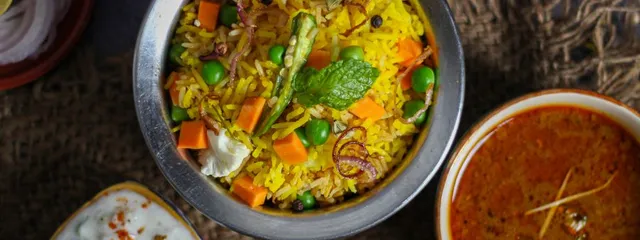
Popular right now
-
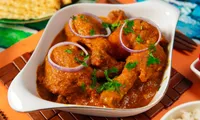
Butter chicken
₹320
-
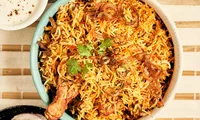
Hyderabadi biryani
₹340

Illustrative view.
The pages a restaurant site needs, and nothing it does not
Someone searching for your restaurant at 7pm wants four things: are you open, what do you serve, where are you, and can I order. The site is built around exactly those.
-
Hours that are actually right
Opening times shown on the site are the same ones the ordering page uses to accept orders, so the website never says open while checkout says closed.
-
A menu people can order from
The menu on the site is the live menu from the menu builder, with prices, photos and options. Change a price once and it changes everywhere.
-
Location and contact
Address, directions link and phone number for the customers who still prefer to call. Pickup customers see where to come.
-
An order button on every page
Delivery, pickup and dine-in ordering sit behind one button that works in the phone's browser. No app, no PDF, no form that emails you.
From blank page to taking orders
This is what setting up the site involves. None of it needs a developer, and the menu is usually the part that takes longest.
- 1
Add your restaurant details
Name, logo, brand colours, address, phone number and opening hours. These populate the site and the ordering page together.
- 2
Build the menu
Categories, items, photos and prices, then sizes and add-ons where they apply. If you already have the menu in a spreadsheet, entering it is an afternoon's work for a typical single-location restaurant.
- 3
Choose how you fulfil orders
Turn on delivery, pickup, dine-in or any mix. Set delivery areas and charges, and the lead time for pickup. Decide whether delivery runs through Porter, your own riders, or both.
- 4
Connect payment
Online payment runs through a supported payment gateway linked to your account. The gateway charges its own processing fee on each payment; Tuckly does not add a commission on top.
- 5
Publish and point your links at it
Put the site on your own domain, then update the website link on your Google Business Profile, Instagram bio and WhatsApp business profile. Those three links bring most restaurants their first direct orders.
The order button is the whole point
A restaurant website has one job that a social media page cannot do: take the order and the payment without a phone call. Everything else on the site exists to get the visitor to that button with the confidence to press it.
- Customers choose delivery, pickup or dine-in before they see the menu, so prices and availability match
- Returning customers see their saved address and details
- Order notes reach the ticket, so 'no onion' does not get lost between a message and the kitchen
- Orders arrive on the order screen with an alert
Kabir Street Kitchen
North Indian · Indiranagar
Deliver to · 12 MG Road, Indiranagar
Chef's specials
View all Mains
Mains Butter chicken
₹320
 Thalis
 Biryani thali
₹340
- Add
Butter chicken thali
With rice, two rotis and raita
₹320
- Add
Paneer tikka wrap
Mint chutney, pickled onion
₹190
- Add
Masala chai
Served hot, 250 ml
₹40
Two ways to use it: as your whole site, or alongside the one you have
Some restaurants have a site they like and a designer they trust. Others have a domain they bought in 2019 and never finished. Both work.
| Tuckly as your whole website | Keep your site, add the ordering page | |
|---|---|---|
| Who it suits | Restaurants with no site, or a site that is out of date and nobody wants to maintain | Restaurants with a current site that already ranks for their name and shows their story well |
| What you set up | Details, menu, fulfilment, payment, domain | Menu, fulfilment, payment, then one link from your existing order button |
| Domain | Your domain points at the Tuckly site | Your domain stays where it is; the ordering page lives on its own address linked from your site |
| Menu updates | Edit once in the menu builder | Edit once in the menu builder; the old PDF menu on your site should be removed so the two never disagree |
| Hours and holidays | Change in one place | Change in Tuckly for ordering, and separately on your site and Google listing |
| Ongoing effort | Lowest | Low, but two things to keep in sync |
If your existing site is more than a couple of years old, check it on a phone before deciding. Many older restaurant sites look fine on a laptop and lose the order button below a full-screen photo on mobile.
What goes on a restaurant website that brings in orders
A restaurant website is not read, it is scanned, usually on a phone, often by someone who is hungry and slightly impatient. The pages below are the ones that matter, in the order a visitor tends to need them.
The first screen
Before anyone scrolls, they should see three things: the restaurant’s name, whether you are open right now, and the order button. If the first screen is a full-height photo of a dish with the button somewhere underneath, a share of visitors will leave to look you up on a marketplace instead, where ordering is one tap away. Put the button where the thumb already is.
The menu
Show real prices, including the price of the sizes and add-ons, and keep the menu on the site identical to the one on the ordering page. The quickest way to lose trust is a customer who reads 320 on the website and sees 350 at checkout. Photos help for dishes people may not know by name, and hurt when they are blurry or stock images; a plain menu with no photos beats one with bad ones.
Dietary and allergen information belongs on the item, not on a separate page. In the UK, allergen information has to be available before the purchase completes and again at delivery, and in India the FSSAI licence number has to appear on the bill. Putting that information in the menu item and the receipt is simpler than remembering it later.
Hours and holidays
The hours shown on the site should be the same hours the ordering page uses to accept orders. If the kitchen closes at 10:30 but orders are accepted until 11, that is a rule worth setting deliberately, not an accident. Public holidays are the days most restaurant sites get wrong; set them in advance rather than fielding calls on the day.
Location and how to collect
Pickup customers need an address, a landmark if the entrance is hard to find, and a note on where to wait. A directions link that opens the maps app is more useful than an embedded map that slows the page down.
Contact
Some customers will always call, and a phone number is a reasonable thing to keep on the site. The goal is not to remove the phone but to move the routine orders off it, so that the person who does call gets answered.
What to leave out
A long “about us” story, a gallery of interior shots and a press page rarely bring orders. They are not harmful, but they are not where to spend the first afternoon. The menu is.
Related pages
- Online ordering system The full picture: menu, checkout, order screen and fulfilment, with what is supported and what is not.
- Food ordering website A launch checklist for the ordering page itself, for restaurants, home bakers, tiffin services and cloud brands.
- QR code menu A code on the window or the table that opens the same menu, for people who are already standing outside.
- How to promote a restaurant ordering website Where the link goes once the site is live, and which placements bring orders first.
Questions about building a restaurant website
Can I use my own domain name?
Yes. If you already own a domain, you point it at the site. If you do not, buy one from any registrar first; a short name that matches how people say your restaurant's name out loud is better than a clever one.
I already have a website. Do I need to replace it?
No. Keep it and link its order button to your Tuckly ordering page. The one thing to do is remove any old menu or prices from the existing site so customers never see two versions. The table above goes through the trade-offs.
Will the site show up on Google?
The site is built with proper page titles, descriptions, headings and fast loading, which is what search engines need to index it. Ranking for your restaurant's name usually follows from that plus a complete Google Business Profile with the website link filled in. Nobody can promise positions, and we do not.
Can I change the menu or hours myself?
Yes, and that is the point. Hours, items, prices, photos and availability are all edited by you. Changes publish straight to the site and the ordering page together.
What does the site cost?
The site is part of the Tuckly plan rather than a separate charge. There is no commission on orders placed through it. Payment gateway fees and any delivery costs apply as usual; the pricing page lists what is and is not included.
Can customers book a table through the site?
Not through Tuckly. The site covers ordering, not reservations. If you use a booking tool already, you can link to it from the site.
Does it work for a restaurant with more than one location?
A single site with one menu and one set of hours works for a single location. If you run several locations with different menus or hours, talk to us about how that is handled before setting up, and read the restaurant chains page.
Give your restaurant a website that earns its keep
Set up your details and menu, connect payment, and point your Google listing at a site that takes the order instead of asking people to call.
Gateway fees, delivery and taxes are separate. Pricing
Last reviewed 29 October 2026.